nemotron-omni-mlx
Run NVIDIA's Nemotron-3-Nano-Omni-30B-A3B on an Apple Silicon Mac with all three inputs working: text, images (and video), and audio. You give it a prompt plus an image, a video or an audio clip, and it answers in text. Nothing is sent to the cloud.
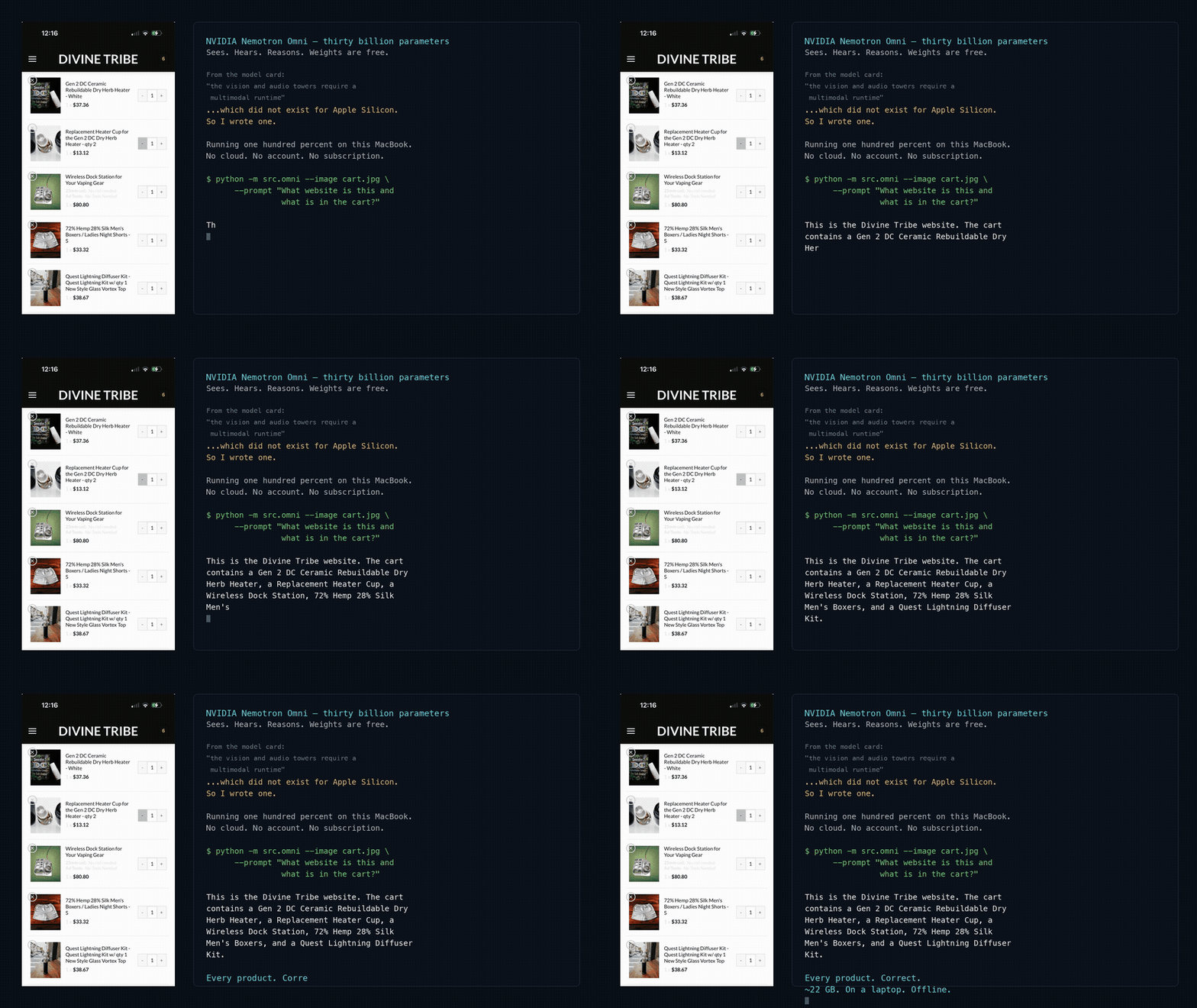
The clip above is the 35 second demo from the repo: a screenshot of a real store cart, read by the model on a laptop. A narrated version and a write-up are on nicedreamzwholesale.com.
The gap it fills
NVIDIA released Nemotron-3-Nano-Omni-30B-A3B as open weights. yayr published a 4-bit MLX quantization on mlx-community, but only the text backbone loads with standard MLX tooling. The model card says the vision and audio towers need a runtime that implements the C-RADIO ViT-H and Parakeet Conformer forward passes.
This repo is that runtime, written in MLX:
| File | What it does |
|---|---|
src/vision.py |
C-RADIOv4-H vision tower (ViT-H/16) plus pixel-shuffle and the mlp1 projector, for images and video |
src/audio.py |
Log-mel frontend, Parakeet (Fast Conformer) audio encoder, and the sound projection |
src/processing.py |
Weight-free port of NVIDIA's processor: image sizing, video frames, audio token counts, EVS |
src/omni.py |
The CLI. Splices image, video and audio embeddings into the text backbone and generates |
scripts/setup_weights.py |
Downloads the 4-bit checkpoint and builds the text-only/ folder mlx-lm can load |
tests/ |
Parity tests against NVIDIA's PyTorch reference |
The text backbone itself is not reimplemented. It runs on the nemotron_h model that already
ships in mlx-lm.
Who it is for
- Mac users with 32 GB or more of memory who want an open model that can look at images and listen to audio without a network connection.
- People porting other multimodal models to MLX who want a worked example with parity tests.
- Anyone evaluating whether Nemotron Omni is worth running locally before buying hardware.
It is a command-line tool and a small Python package, not an app or a server.
Measured numbers
From PLAN.md, single runs on one machine (M5 Max MacBook Pro, 128 GB), 4-bit LLM, end to end through the CLI:
| Mode | Speed | Peak memory |
|---|---|---|
| Image | 67.7 tok/s | 22.1 GB |
| Audio | 110.5 tok/s | 21.0 GB |
| Text | 109 tok/s | 17.9 GB |
The text backbone alone, loaded with plain mlx-lm in the first smoke test, ran at 152.5 tok/s.
Parity with NVIDIA's PyTorch reference, from the README and PLAN.md (README states 23/23 tests passing):
| Component | Result |
|---|---|
| Audio tower | cosine 0.99999130 (min per frame) |
| Audio frontend (log-mel) | max abs diff 8.1e-6 |
| Vision tower (GPU) | cosine 0.99996227 (min per token) |
| Vision tower, MLX CPU stream | 1.00000000 |
| Processor | token ids exact, pixels max abs diff 1.55e-06 |
See How it works for why the GPU and CPU numbers differ.
Next steps
- Install the runtime and weights
- Quickstart with an image, audio clip or video
- Configuration for every CLI flag
- Troubleshooting if something fails, especially on a 32 GB Mac